AI makes it.You say OK.

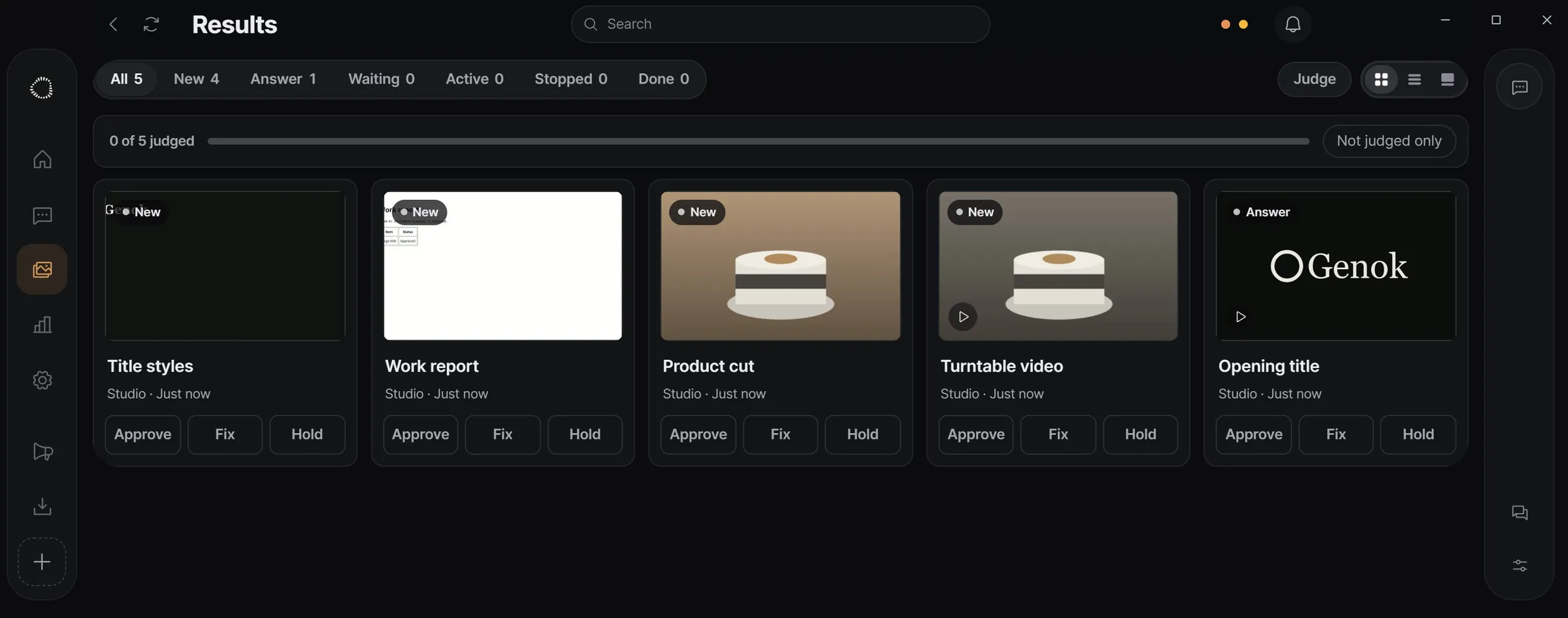
Genok shows you what Claude Code and Codex made, version by version. Draw on what's wrong and the session fixes it.

Download for Windows Apply for the beta Requires Claude Code / Codex on a paid plan. Closed beta: you need an invite code to download.
Genok · Opening title logo · v002 · Needs review
The Genok app: a result shown by version, with comments
Use it with Claude Code Codex
Draw on it

Point at the problem. Don't describe it.

Pause the frame and draw on the spot. Your note goes to the session.

Pause → comment → new version → compare
Why

In a terminal, results get buried in the log.

A session makes a file and leaves you a path.
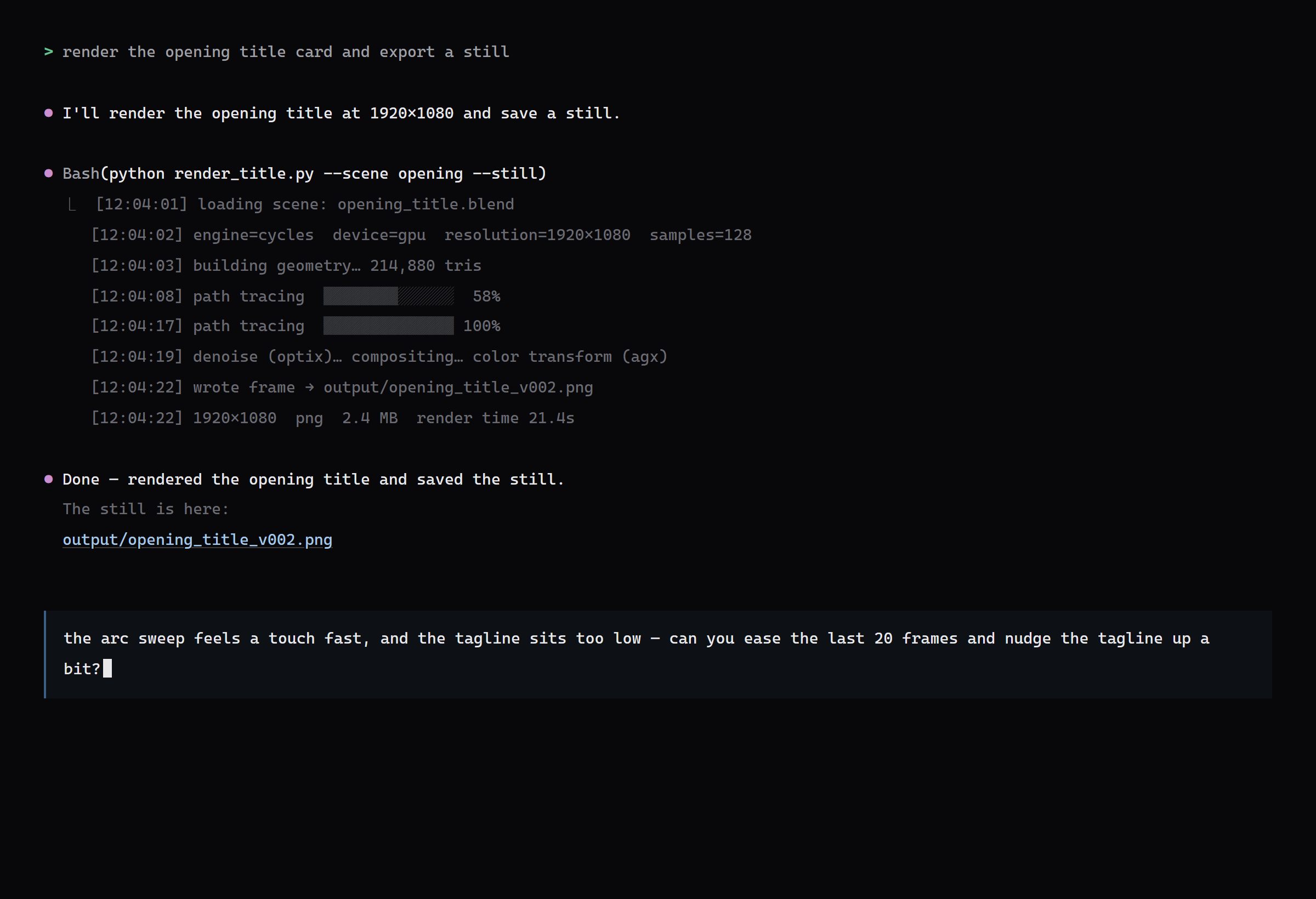
A Claude Code / Codex session: the result is buried in the chat
claude · render session
A Claude Code terminal session where the result is only a file path in a long log
Genok: the same result, filed by version
Genok · Opening title logo
Genok showing the same result filed by project and version

It uses your Claude Code / Codex subscription as it is. No API key, no extra charge.

Video

Video, frame by frame.

Step one frame at a time, slow it down, loop the part that bothers you.
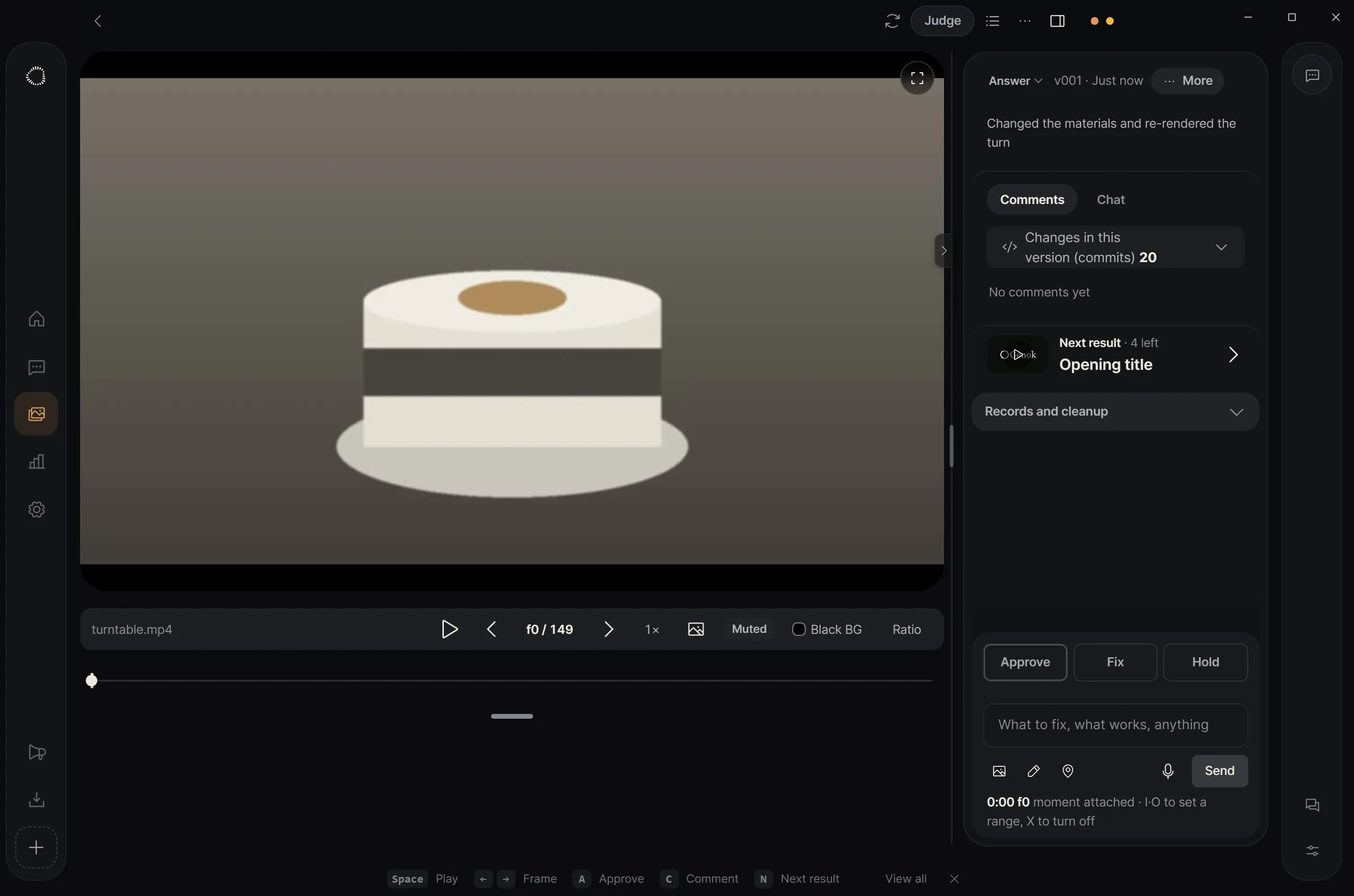
Product turntable · f0 / 143
A video player with frame numbers and playback controls
Compare

See what changed.

Lay v002 over v001 and drag the slider across.
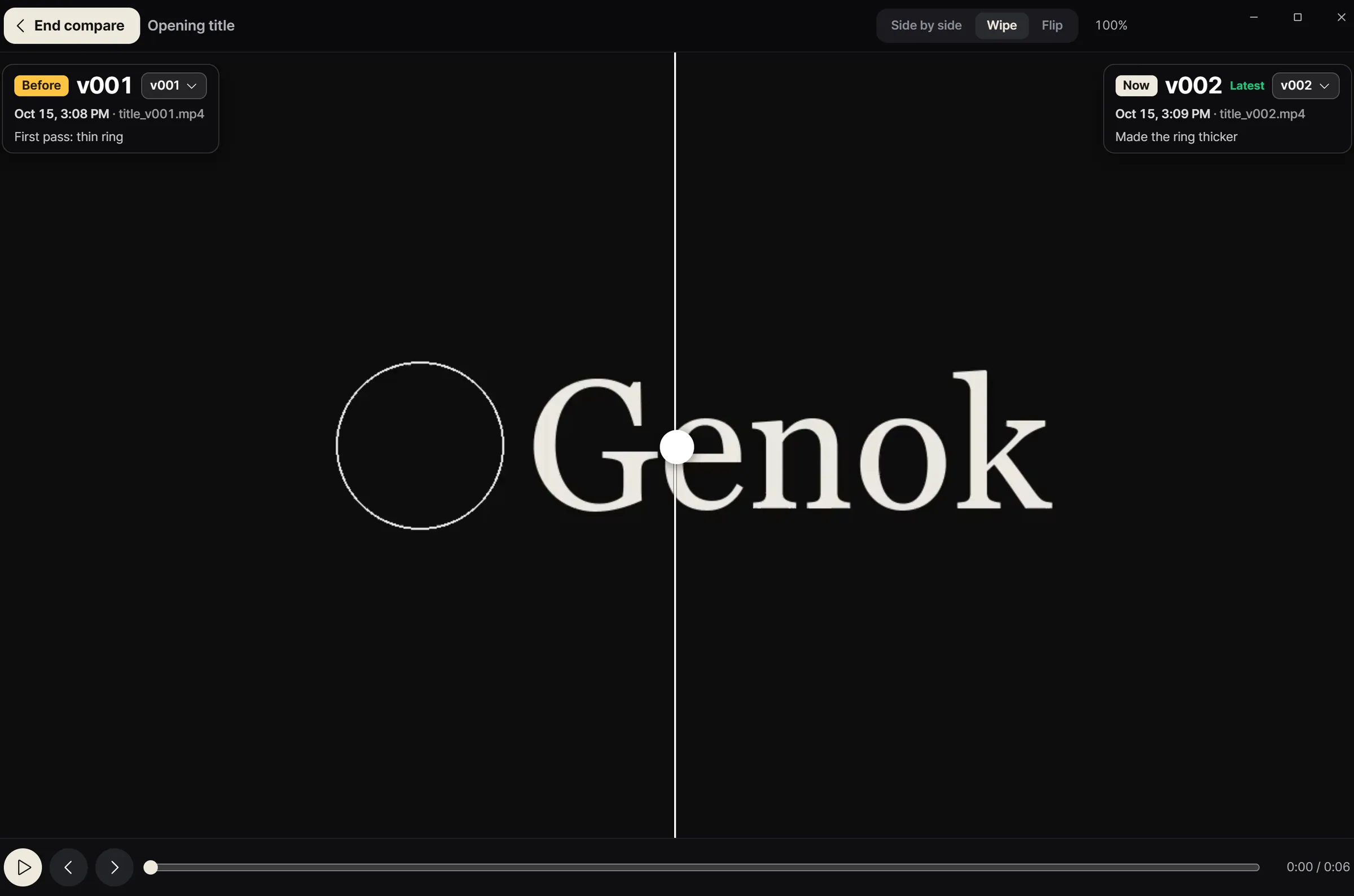
Compare · slider
Two versions overlaid and compared with a slider
Board

Versions line up in a row.

Each result lays its versions side by side, with the number of requests applied between them. Click a card and it opens right on the board.

Results · Board
Projects

Say what you need, and it becomes a project.

Write one line about the job and it suggests a name, role, group and emoji. Adjust them and press Create.
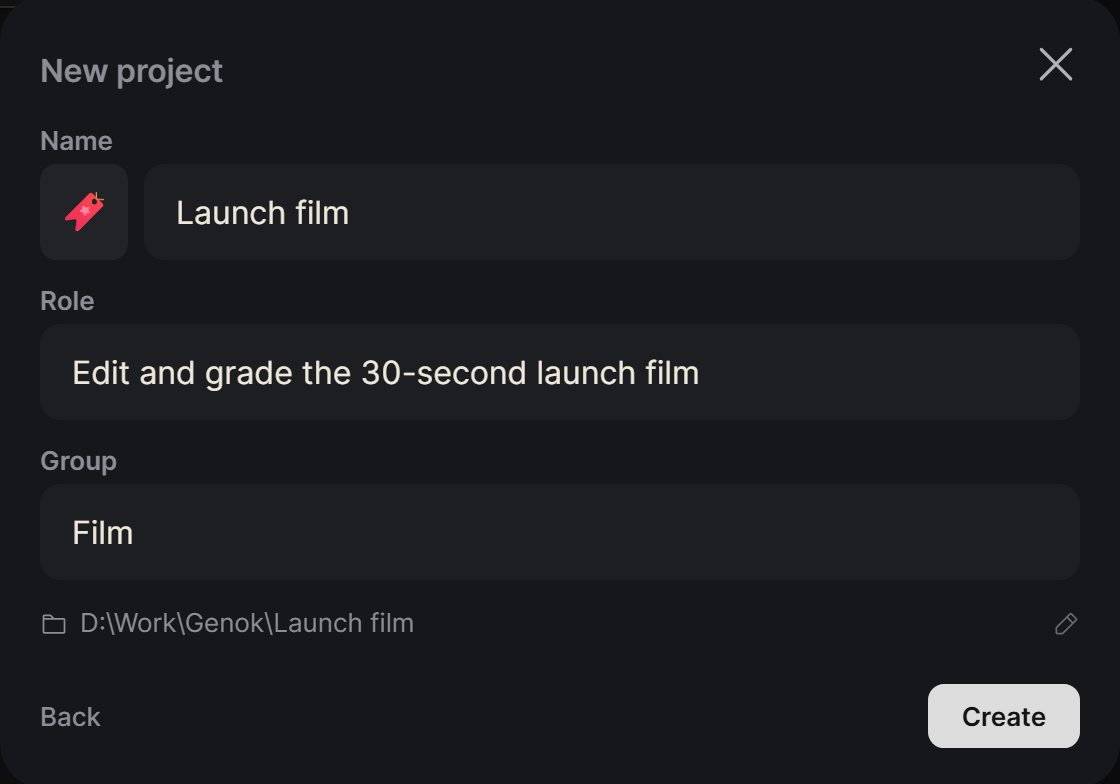
New project
The new project dialog with an emoji, name, role, group and folder location filled in
Use cases

Whatever you make, you review it the same way.

3D and motion

Renders and clips

Each render and each sequence lands as a new version.

Web and design

Pages and mockups

Every pass at a page arrives as a version you can put next to the last one.

Documents, code and data

Reports and diffs

Comment on a paragraph, a changed line or a changed cell.

Pricing

Lite does the whole job.

The full loop works on Lite, which is free. Go Pro when you want the limits off.

Feature Lite Pro
Claude Code and CodexIncludedIncluded
ProjectsUnlimitedUnlimited
Every format (images, video, documents, code, sheets)IncludedIncluded
Compare, comment, draw on framesIncludedIncluded
Version historyLatest 10All
View on your phoneNot includedIncluded
More than one of your own accountsNot includedIncluded

Prices in US dollars. Checkout isn't open yet. Once it is, you can ask for a full refund within 7 days of the first payment. Refund policy

Beta

Genok is in closed beta.

Apply for the beta

One email, when Genok launches. The address is kept in a Google Form and used for nothing else.

FAQ

Questions

Where is my data?
In Documents\Genok, filed by project and version. You can open it in File Explorer.
Is anything published to the internet?
No. The server listens on 127.0.0.1 only. On your phone it is reachable only over your own private connection.
Windows showed a SmartScreen warning
The installer isn't code-signed yet, so Windows asks first. Choose More info, then Run anyway.