The render lands. You write on the frame.

Genok collects renders version by version, plays clips frame by frame, and lets you draw on the part to fix.
Download for Windows Requires Claude Code / Codex on a paid plan. Windows 10 and 11.
Genok · Renders and clips
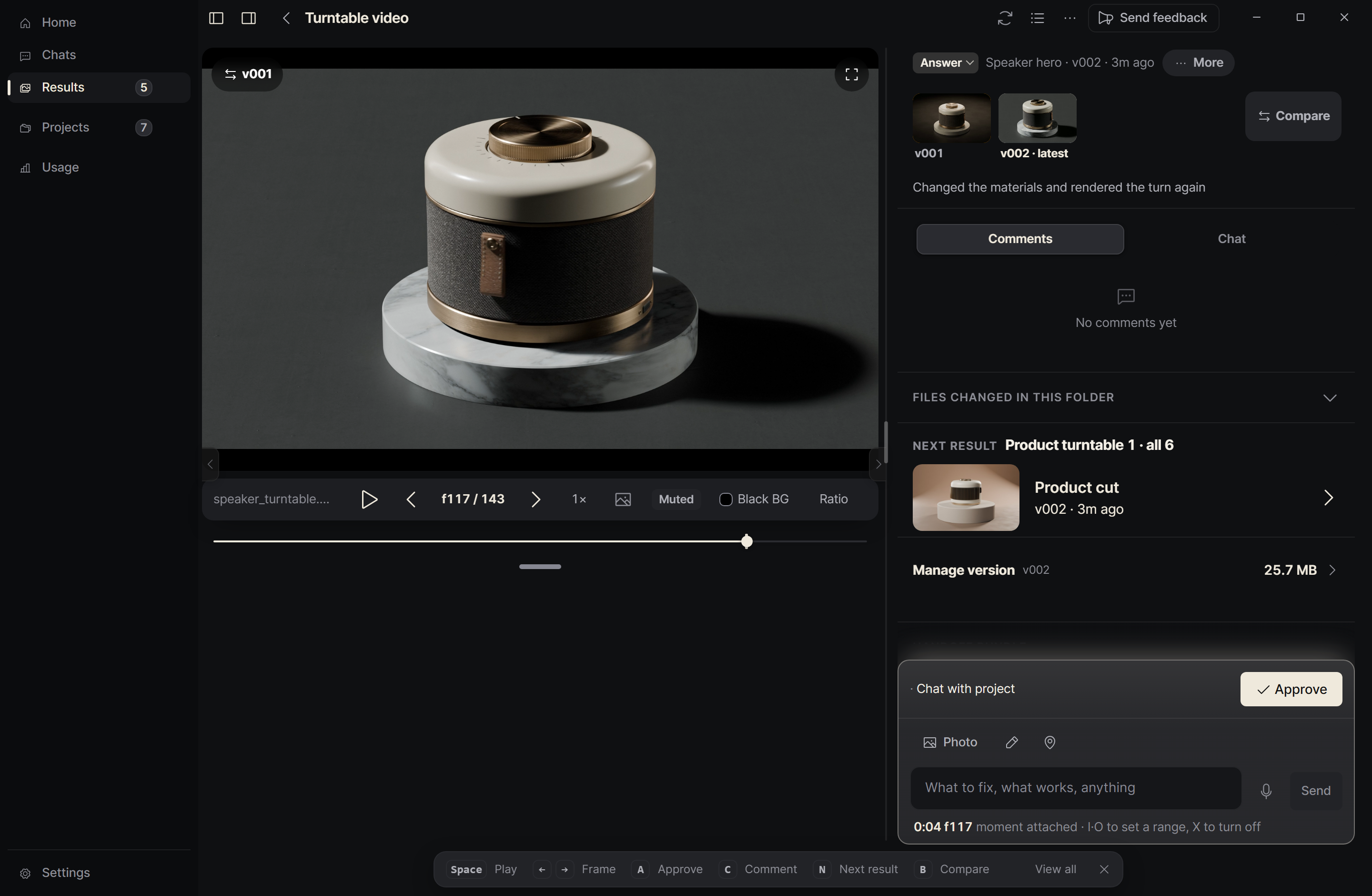
A clip paused on one frame in Genok, with the version list beside it
3D and motion

Draw what's hard to say.

Genok · Logo title
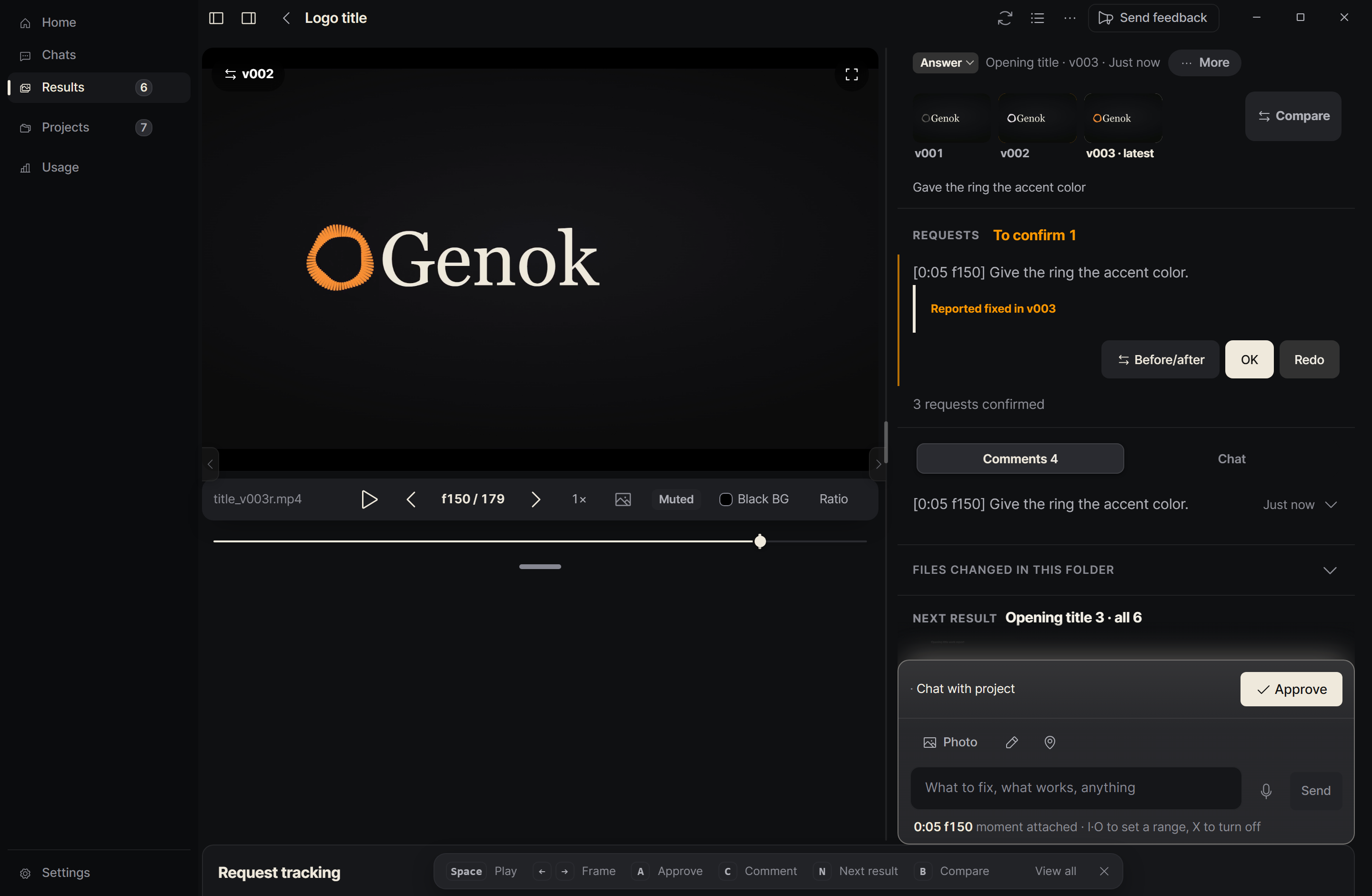
The first draft of a logo title open in Genok, with marks on the frame and a third comment being writtenThe first and the latest version of the logo title in Genok's compare view, split by a sliderThe latest version of the logo title in Genok with one request waiting to be confirmed

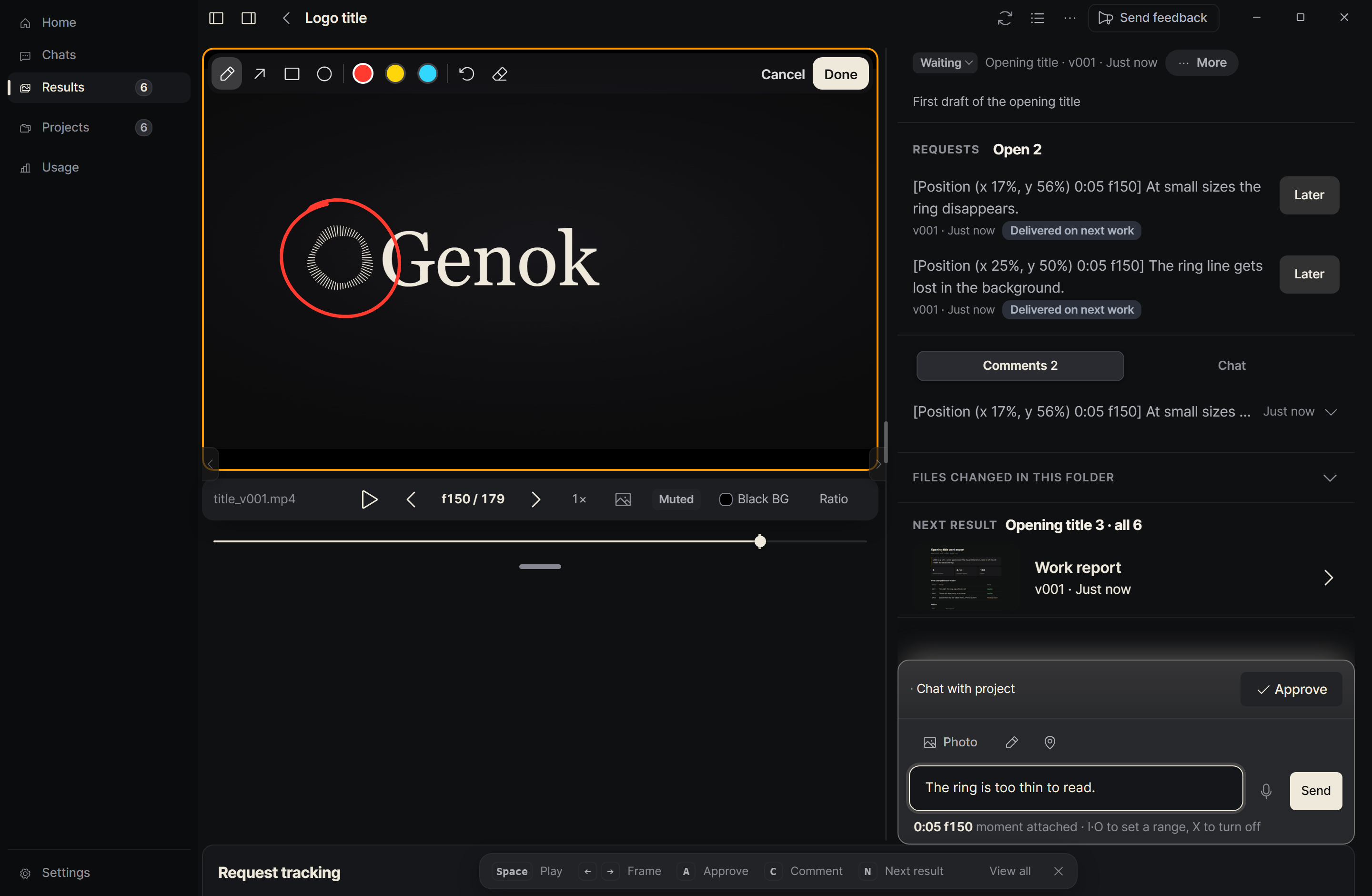
Mark what to fix on the first draft and write a line for each.

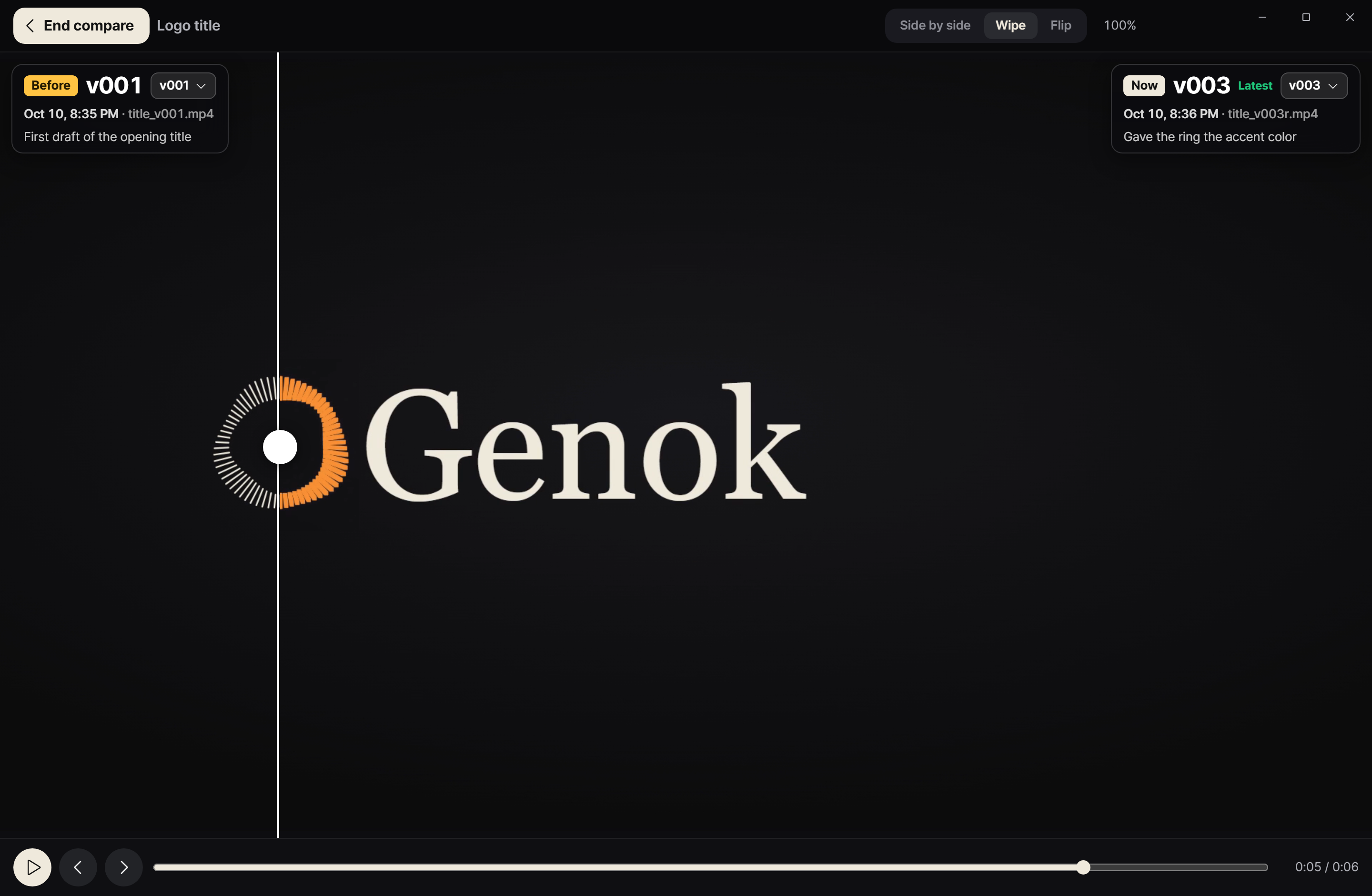
When the AI session uploads the fixed version, slide between it and the first one.

Close the requests that are fixed. Send back the ones that are not.

Pause on the frame and draw

Stop on the frame that bothers you and draw right there. The frame number goes with your comment.

Compare it with the last version

Set the new render next to the previous one, wipe across, or flip between them.

What comes in

  • Render stills
  • Clips
  • Image sequences

What you do with it

  • Step through frames
  • Draw on a frame and comment
  • Compare two versions

What Genok doesn't do

  • It doesn't edit your scene file. The session that gets your comment does.
  • It doesn't send your renders to a server. They stay in a folder on your PC.
FAQ

Questions

Do I need Blender or Houdini installed?
No. Genok shows the stills and clips that were sent to it, so it works without a 3D app.

Stop describing frames in words.

Download for Windows